TT
ThomasThanos Extensions GitHub Pages-ready workspace showcase

Chrome extensions by ThomasThanos.

Three extension projects in one repo, with direct source links, live previews where assets exist, and quick install steps for Chrome.

3 projects GitHub Pages ready No build step

Projects

Filter by type, open the source, or jump into the gallery.

Preview of the An1me Tracker extension interface

An1me Tracker

Workspace entry for the anime tracking project, positioned as the flagship extension in the repo.

Flagship
Host: an1me.to Role: tracking
  • Designed around progress memory, watchlist states, and cross-session continuity.
  • Strong candidate for the main project spotlight on the GitHub Pages front page.
  • Presented here as the center of the workspace narrative even without a local screenshot set.
Folder: An1me_tracker
Open source
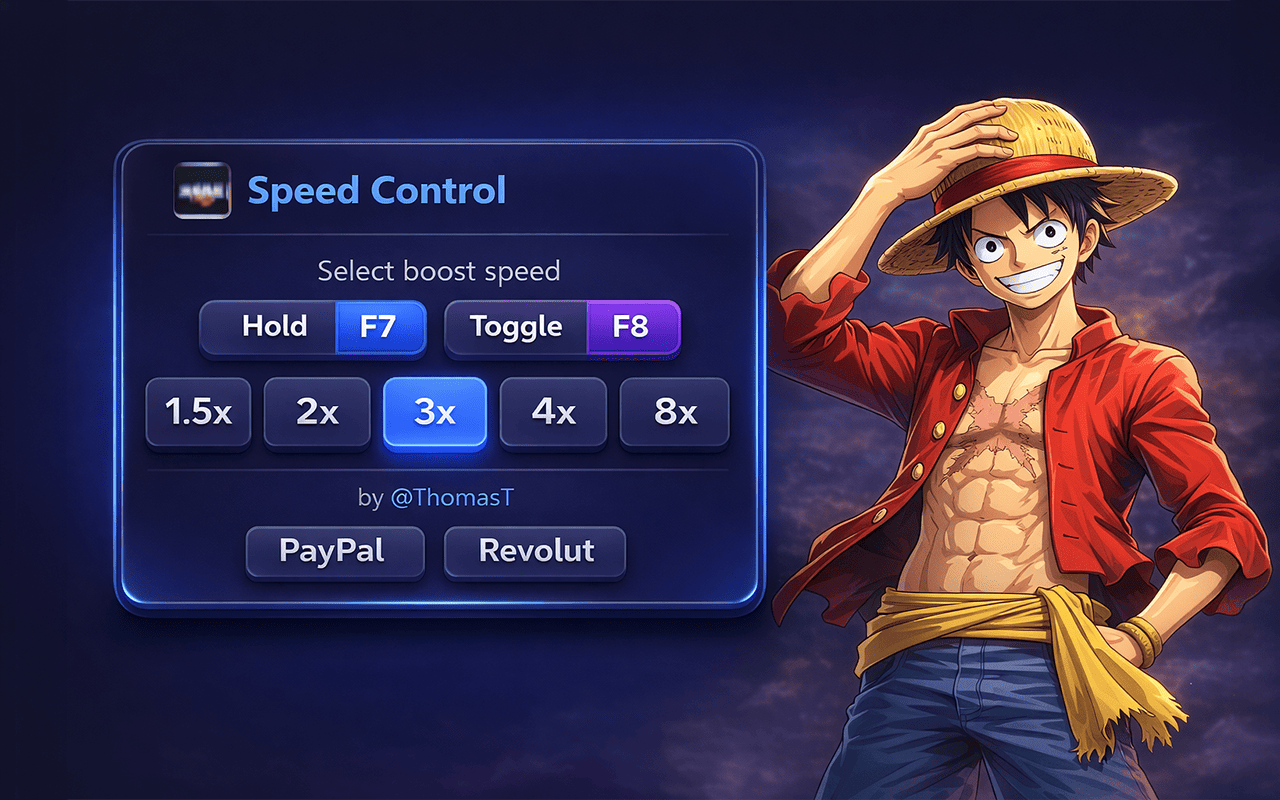
Preview of the An1me speed control extension interface

An1me Speed Control

Fast playback control for an1me.to, tuned around F7 hold boost and F8 toggle boost.

Playback
Host: an1me.to Role: speed control
  • Saves boost speed, default speed, volume, and mute preferences in local storage.
  • Injects hints and visual badges directly over the player for immediate feedback.
  • Clean popup UI for boost selection, designed for repeat use during playback sessions.
Folder: An1me_speed_control
Open source
Preview of the Tinder and Boo auto liker extension UI

Tinder & Boo Auto Liker

Automation extension for Tinder and Boo with a floating control surface and live count updates.

Live UI
Hosts: tinder.com boo.world
  • Runs auto-like cycles, tracks failures, and auto-pauses when overlays or blockers appear.
  • Uses the background worker to keep popup status and counts synchronized.
  • Includes localized message bundles and a dedicated popup dashboard folder.
Folder: Tinder_boo_auto-liker
Open source

Load the extension you want without digging through the repo.

Pick a folder below and the install instructions update in place. This makes the page work as a real handoff surface, not just a visual portfolio.

  • 1
    Open Chrome extensions Go to chrome://extensions and enable Developer mode in the top-right corner.
  • 2
    Choose the workspace folder Select the current extension folder shown below when you click Load unpacked. An1me_tracker
  • 3
    Reload after edits Any changes to the source can be tested instantly by pressing the reload icon on the extension card.
Target hosts an1me.to
Primary use Anime tracking workspace
Popup entry Manifest not surfaced in the current folder snapshot.
Direct GitHub link Open selected folder

These are the folders the page is built around right now. Keeping them visible on the page saves visitors from reading the tree manually before they know where to click.

  • An1me_tracker Workspace slot for the flagship tracking extension. ./An1me_tracker/
  • An1me_speed_control Playback utility with saved speed defaults and keyboard boost controls. ./An1me_speed_control/
  • Tinder_boo_auto-liker Automation extension with popup UI, screenshots, icons, and locale files. ./Tinder_boo_auto-liker/
  • A
    GitHub-ready presentation The page works as a public-facing project overview without introducing a framework or build step.
  • B
    Single source of truth Extensions, previews, and install instructions live in one place, so the README and the live page can stay aligned.
  • C
    Easy to extend later Add more screenshots, support links, privacy pages, or release notes without changing the overall structure.